
● 可攜式設計,隨插即用,適合在 USB/Firewire 裝置上執行備份任務。
● 提供完整、增量、差異、鏡像及智慧備份,彈性應對各種資料保護需求。
● 支援 AES 加密與密碼保護,確保您的備份資料在傳輸和儲存時安全無虞。
● 備份時可壓縮檔案並支援區塊級備份,有效節省寶貴的儲存空間與時間。
● 直觀友善的操作介面,無論是新手或專業人士,都能輕鬆上手進行資料備份。 多語
Backup4all 9.9.1044 安裝版
一個 Windows 作業系統建立備份副本的程式,可保護您的資料免於部分或全部遺失,Backup4all 自動建立備份副本並壓縮資料(使用標準 Zip 算法)以節省磁碟空間,並可以加密資料以防止外部瀏覽。
授權性質:共享
使用限制:三十天試用
介面語言:多國語言
作業系統:Windows(含Win11)
點閱次數:91,418
下載次數:2,668
檔案大小:158.48 MB
更新時間:2026/4/1 上午1:26:12
官方網站: Softland
軟體重點及亮點
軟體簡介
一個相當不錯的自動備份工具軟體,你可以設定自動備份的時間排程,讓 Backup4all 定時一你所設定的時間作備份,也可將被份的檔案以壓縮檔的型態來備份並可設定備份後檔案的密碼,如此別人想開啟時,沒有密碼也開啟不了。
備份時你可以選擇備份資料夾或檔案,當然也可以兩者並用。
詳細說明介紹
Backup4all 是一款屢獲殊榮的 Windows 資料備份軟體。此備份實用程式旨在透過自動執行備份任務、密碼保護和壓縮以節省存儲空間來保護您的寶貴資料免於部分或全部遺失。此備份應用程式功能豐富,並提供直觀的界面,使初學者和專業人士都可以輕鬆瀏覽所有功能。
Backup4all 與以下作業系統相容:Windows 10、8、7、Vista、XP SP3、Server 2019/2016/2012/2008/2003(32/64 位)
我們的備份實用程式執行所有四種備份類型:完整備份、差異備份、增量備份和鏡像備份。它還採用獨特的類型(智能備份),可以自動決定何時使用完整、差異或增量。它還備份資料塊(真正的增量備份),這意味著對於大檔案,它只會備份自上次備份以來發生更改的小部分。
【各版功能差異表】
Backup destinations | Professional | Standard | Lite | Portable |
|---|---|---|---|---|
| Cloud backups to Google Drive | ||||
| Cloud backups to Microsoft OneDrive | ||||
| Cloud backups to Box Cloud | ||||
| Cloud backups to Dropbox | ||||
| Cloud backups to Amazon S3 | ||||
| Cloud backups to Azure | ||||
| Cloud backups to Hidrive | ||||
| Cloud backups to Hubic | ||||
| 37+ Amazon S3 Compatible cloud destinations | ||||
| Backup to Google Cloud Storage | ||||
| Backup to FTP (active/passive transfer modes) | ||||
| Backup to FTPS (FTPES, FTP-SSL or FTP Secure) | ||||
| Backup to SFTP (SSH File Transfer Protocol) | ||||
| Backup to CD/DVD (single/dual layer) | ||||
| Backup to Blu-ray/HD-DVD | ||||
| Backup to external hdd (USB/Firewire) | ||||
| Backup to network drives | ||||
| Backup to removable media (USB flash drive, floppy) | ||||
| Backup to local hard drives | ||||
| Backup to ZIP drives | ||||
| Can be installed only on USB/Firewire devices, but cannot schedule backups. | ||||
Backup sources | Professional | Standard | Lite | Portable |
| Backup from local hard drives | ||||
| Backup from CD/DVD/Blu-ray | ||||
| Backup from external hdd drives | ||||
| Backup from removable media | ||||
| Backup from network drives | ||||
| Backup from ZIP drives | ||||
Interface | Professional | Standard | Lite | Portable |
| Customizable ribbon interface | ||||
| Remote backup monitoring via Backup4all Monitor | ||||
| Show job details in card/list mode | ||||
| Navigation pane | ||||
| Notification messages | ||||
| Windows Explorer contextual right-click menu | ||||
| Explore view | ||||
| Backup view | ||||
| Progress view | ||||
| View backup statistics | ||||
| Multi-language support | ||||
| Group backup configurations using tags | ||||
| Access application according to system privileges | ||||
| Lock program interface with a password | ||||
| Show "Getting Started" window | ||||
| Show versions in Explore View | ||||
| Start application at Windows startup | ||||
| Minimize application to system tray | ||||
| Add sources with drag-drop | ||||
| Search as-you-type for backup jobs/tags in backup list | ||||
| History window with backup, restore, test, cleanup logs | ||||
| Show available space in destination on Statistics View | ||||
| Create desktop shortcuts for backup jobs and backup tags | ||||
| Default predefined backups | ||||
| Microsoft Outlook backup plugin | ||||
| Quick access toolbar | ||||
| Advanced backup properties configurations | ||||
| Customizable backup options | ||||
| Visualization modes for application startup | ||||
| MSI setup for automatic deployment | ||||
| Automatic updates | ||||
Backup | Professional | Standard | Lite | Portable |
| Block-backup | ||||
| Backup open files | ||||
| New backup wizard | ||||
| Stop/cancel all backup jobs | ||||
| AES encryption (128-bit, 192-bit and 256-bit) | ||||
| Password store management | ||||
| Select individual files and folders to be backed up | ||||
| Inclusion and exclusion filters for files and folders | ||||
| Create and use general predefined filters | ||||
| Possibility to pause, resume or stop a backup | ||||
| Override filters | ||||
| Suspend application | ||||
| Run missed schedules | ||||
| Email notifications on success, errors, warnings | ||||
| Run program/action before and/or after backup | ||||
| Run program/action only once | ||||
| Clean backup action with parameters | ||||
| Clear backup before executing a scheduled job | ||||
| Erase disc before backup | ||||
| Use local catalogs | ||||
| Play sound on success, warning, error | ||||
| Set backup thread priority | ||||
| One Touch Backup | ||||
| Independent spanned backups | ||||
| Back up empty folders | ||||
| Delete sources after successful backup | ||||
| Create backup log | ||||
| Create backup catalog file | ||||
| Run backup at system shutdown | ||||
| Run backup at log-on or log-off | ||||
| Free backup plugins | ||||
| Plugin creator to generate your own plugins | ||||
| Possibility to set memory usage for backing up | ||||
| Scheduled suspend | ||||
| Browsable file and folder selection | ||||
| Assign volume labels for removable media | ||||
| Assign label for each backup version | ||||
| Search file/folder in Backup view | ||||
Backup types | Professional | Standard | Lite | Portable |
| Smart backup | ||||
| True incremental backup | ||||
| Differential backup | ||||
| Full backup | ||||
| Mirror backup - without compression | ||||
| Mirror backup with individual file compression (.zip) | ||||
| Store multiple versions for full backup type | ||||
| Store multiple versions for differential backup type | ||||
| Store multiple versions for incremental backup type | ||||
| Limit number of backup versions | ||||
Backup format | Professional | Standard | Lite | Portable |
| Compress backup files (zip format) | ||||
| Obfuscate file/folder name in zip archive | ||||
| Support for zip64 technology | ||||
| Choose zip compression level | ||||
| Password protected zip files | ||||
| Customize zip name prefix | ||||
| Split zip files | ||||
| One-to-one copy | ||||
| Copy files with NTFS security permissions and alternate streams | ||||
| Use NTFS change journal | ||||
| Custom application data file locations | ||||
Backup execution | Professional | Standard | Lite | Portable |
| Show backup progress | ||||
| Compress catalog on destination | ||||
| Smart file scanning mode | ||||
| Execute all backup configurations in a tag | ||||
| Perform unattended backups using Windows scheduler | ||||
| Command line | ||||
| Keep multiple catalog versions in destination | ||||
| Verify backup integrity before execution | ||||
Test | Professional | Standard | Lite | Portable |
| Test backups | ||||
| Test backup tags | ||||
| Test & repair backups | ||||
| Test FTP/FTPS/SFTP backups | ||||
| Test after backup option | ||||
| Set test thread priority | ||||
| Backup test performed after writing each disc | ||||
| Create test log | ||||
Restore | Professional | Standard | Lite | Portable |
| Restore wizard | ||||
| Schedule a restore operation | ||||
| Restore using command line | ||||
| Restore all files as of specific date | ||||
| Restore specific backup increments | ||||
| Filter files to restore | ||||
| Restore to different folder | ||||
| Restore selected file | ||||
| Restore selected version of a file | ||||
| Restore selected folder | ||||
| Restore preview | ||||
| Set restore thread priority | ||||
| Restore only specific files from cloud backups | ||||
| Create restore log |
如果您覺得此軟體符合您的需求,請點擊下方按鈕前往下載頁面。
立即進入下載頁面軟體截圖參考
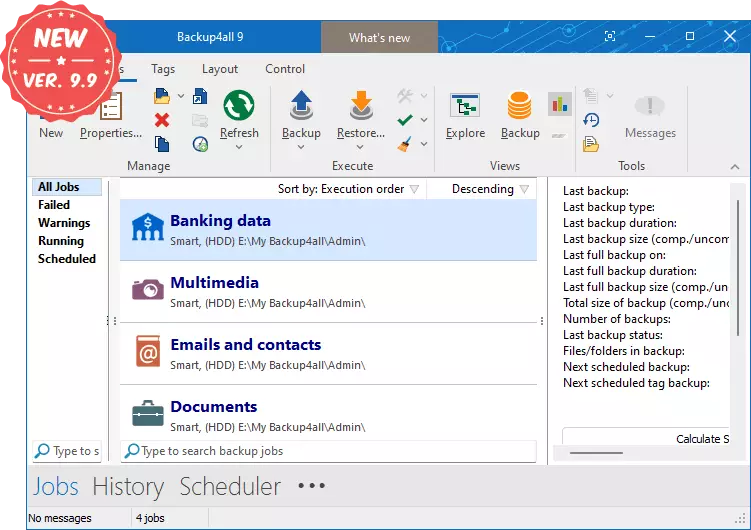
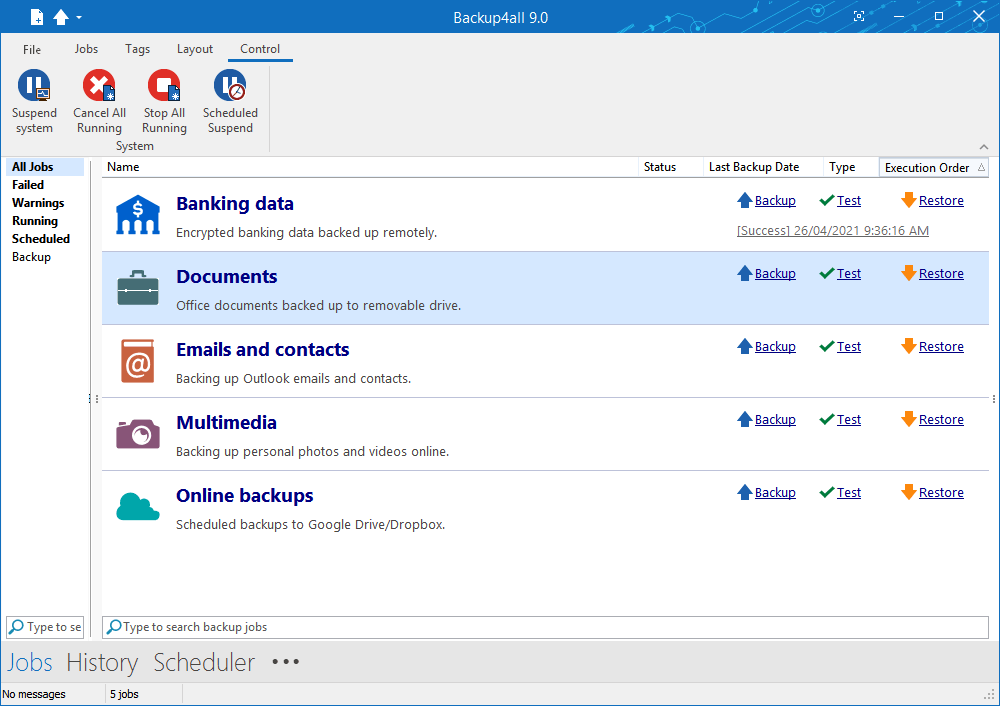
該公司的其他軟體
資料讀取中...